





















Esc

↑↓ to move↵ to open

01Switching to ITX

Changing IT provider, without the upheaval.

A structured onboarding that brings your users, devices, licences and security across in an orderly way, so your team notices better support and nothing else.

An ITXpress consultant going through a plan on paper with a customer
Starts with
A conversation and a look around
Scoped
Per user or per device
Brings across
Antivirus, anti-spam, backup and Microsoft licensing
Ends with
Everything in one place

A proper hand-over

Most people stay put
because moving sounds hard.

Changing IT provider has a reputation: lost passwords, a week of confusion and a previous supplier who stops answering. It’s the main reason businesses put up with support they’re not happy with.

It doesn’t have to be like that. Our onboarding is a defined piece of work, with a plan you see in advance. We learn how your systems fit together, write it down, bring your licences and security tools across and introduce ourselves to your team. By the day we take over, we already know our way around.

A hand-over laid out on a table: a tabbed binder, a one-page plan with milestones ticked, labelled keys and a laptop showing a checklist

What’s involved

Seven parts
of a clean start.

Onboarding is scoped per user or per device, and agreed in writing before anything changes.

01

Discovery & audit

Start of onboarding

A proper look at what you have before we touch anything.

  • Users, devices, servers and network equipment recorded
  • Licences, subscriptions and renewal dates gathered
  • Security, backup and anything overdue noted
  • Risks raised with you straight away, not saved for later

02

Documentation

Start of onboarding

Your set-up written down, so the knowledge isn’t locked in one person’s head.

  • How your systems fit together, in plain English
  • Suppliers, contracts and contacts in one place
  • Kept up to date as things change
03

Microsoft licensing

Included in onboarding

Your existing Microsoft subscriptions moved to ITX.

  • Existing licences moved across to ITX
  • Data and mailboxes left exactly where they are
  • Seats matched to the people actually using them
More on Microsoft 365 & Cloud
04

Antivirus & anti-spam

Included in onboarding

Your protection migrated as part of the move.

  • Antivirus migrated to our managed service
  • Anti-spam and email filtering migrated
  • Coverage checked once the move is complete
More on everyday protection
05

Backup

Included in onboarding

Your backups migrated, so they’re watched by the same team as everything else.

  • Existing backups reviewed
  • Backup migrated to our managed service
  • Monitored and verified from then on
More on Backup & Recovery
06

Devices

Per device

Each device brought under management.

  • Monitoring set up on each device
  • Health, updates and protection checked
  • Anything overdue flagged
More on device management
07

A welcome for your team

Per user

Your people introduced to the helpdesk before they need it.

  • How to reach us, by phone and by email
  • What’s covered and what to expect
  • Each person’s account and licence checked
More on helpdesk and user support

From first call to first day

How the switch runs.

  1. 01

    Talk

    We meet, look around and agree what’s moving. You get the plan and the cost in writing.

  2. 02

    Discover

    We audit and document your systems, and gather the access we need from your current provider.

  3. 03

    Move

    Licences, security and backup come across in an agreed order, and each device is brought under management.

  4. 04

    Go live

    Your team gets the helpdesk details and we take over day-to-day support.

On your pane

Managed IT,
in plain sight.

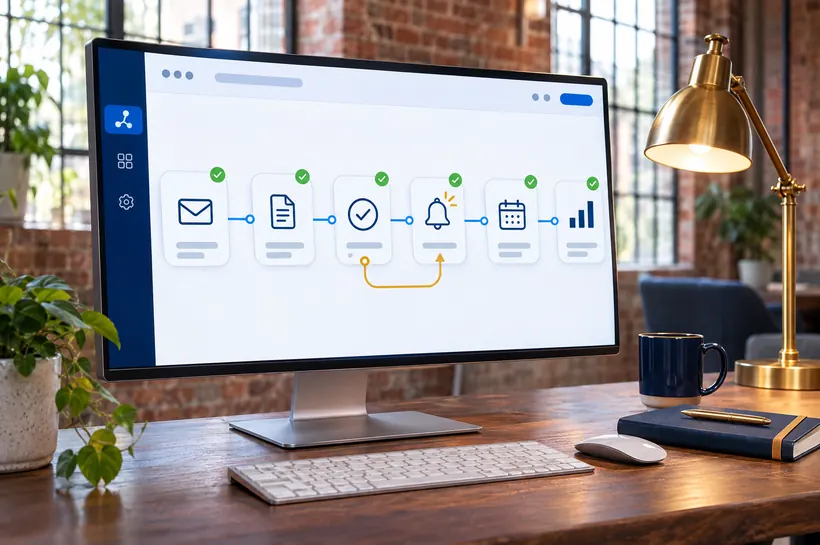
Whatever we do for you here reports back to one place, alongside everything else. No separate portal, no waiting for a monthly PDF: just the current state of things, in plain English.

See the whole pane
Your business/ managed it
Illustrative view

Good questions

Asked often.
Answered plainly.

Something we haven’t covered? Ask us directly

iHow long does onboarding take?

It depends on the size of the business and what we find. After the first conversation we’ll give you a plan with dates, and we’ll tell you honestly if something needs fixing before we take over.

iiWill our team be without support during the switch?

The hand-over is planned so that one provider is responsible right up to the day the other takes over. There shouldn’t be a day when nobody is answering.

iiiWhat do you need from our current provider?

Mainly administrator access and whatever documentation they hold. We’ll tell you exactly what to ask for.

ivWhat happens to our Microsoft 365 data?

Nothing. Your data and mailboxes stay exactly where they are; only the billing and management change hands.

vIs there a charge for onboarding?

Onboarding is a defined piece of work, scoped per user or per device. Once we’ve seen your set-up we’ll confirm the figure in writing, with no surprises later.

Talk to us

Ready to see your IT clearly?

Tell us what you have today and what you’d like it to do. We’ll come back with a clear, plain-English answer and no obligation.

Start a conversation

Or email sales@itxuk.com
Already a customer? helpdesk@itxuk.com
Prefer to talk? Call 0330 236 9991 or a local number

An ITXpress consultant being welcomed with a handshake at a customer’s front door